Pexels stock image for "API docs generator" - Photo by Christina Morillo on Pexels
APIs are the engine of modern software, but an engine without an instruction manual is just a black box. For years, API documentation was a tedious, manual chore that was often neglected, leading to frustrated developers and slower API adoption. But in 2025, that’s no longer the case. The rise of the automated API docs generator has transformed documentation from a painful afterthought into a streamlined, strategic asset. An API docs generator is a tool that automatically creates documentation from a machine-readable specification file, ensuring accuracy and driving an exceptional developer experience.
API documentation is a comprehensive reference guide that explains how to use and integrate with an Application Programming Interface (API). It’s the single source of truth for developers, containing everything they need to know to consume your API successfully.
A complete set of API docs typically includes:
Authentication: Instructions on how to get API keys and securely authenticate requests.
Endpoints: Detailed descriptions of every available endpoint, including its function and supported HTTP methods (like GET, POST, PUT, DELETE).
Parameters: A list of all required and optional parameters for each endpoint, with data types and descriptions.
Request & Response Examples: Sample requests and the exact structure of the server’s responses, including status codes and error formats.
Code Snippets: Ready to use code examples in multiple programming languages to accelerate integration.
High quality documentation is no longer a “nice to have”. It’s a critical component for API success. According to the 2024 StackOverflow survey, a staggering 84% of developers rely on technical documentation for learning. For companies with public APIs like Square, Webflow, and Cohere, great documentation is a key driver of adoption and growth.
Here’s why it’s so important:
Increased Adoption: Clear docs make it easy for developers to understand and start using your API, which directly correlates with higher adoption rates.
Faster Onboarding: With interactive examples and clear instructions, developers can go from discovery to implementation in minutes, not days.
Reduced Support Costs: Comprehensive documentation preemptively answers common questions, significantly reducing the burden on your support team.
Improved Developer Experience (DX): Great documentation is the foundation of a great developer experience. Frustration with poor docs is a leading reason developers abandon an API.
The world of API documentation is evolving rapidly. In 2025, the best API docs are more than just static text, they are dynamic, intelligent, and built for a new generation of users, both human and machine.
AI Assistants: AI is being integrated directly into documentation platforms to provide instant, contextual help and even anticipate developer needs (similar to Ask Fern). This is a core part of the shift from just Developer Experience (DX) to Agentic Experience (AX), where AI agents can also consume your API, and expose your docs to agents via llms.txt. For businesses looking to the future, an API docs generator that supports this shift is critical.
Interactive Explorers: Modern documentation includes “Try it out” features that allow developers to make real API calls directly from the browser. This hands on experience flattens the learning curve and builds confidence.
Automated Generation: The manual process of writing docs is becoming obsolete. Tools that automatically generate and update documentation from an API specification ensure accuracy and save countless hours of engineering time.
An API specification is a machine readable file that defines the structure and behavior of your API. It’s the blueprint that an API docs generator uses to create the documentation. While several formats exist, one has become the clear industry standard.
Specification | Key Characteristics | Adoption |
|---|---|---|
The most widely used specification by a large margin, backed by the Linux Foundation. It uses a standardized JSON or YAML format. | 55%+ of developers | |
RAML | Developed by MuleSoft, known for its readability and features that promote reusing code. | ~7% of developers |
API Blueprint | A Markdown based format developed by Apiary (now Oracle) designed to be human friendly. | ~7% of developers |
For most companies starting today, OpenAPI is the recommended choice due to its massive ecosystem, community support, and broad tool compatibility.
Manually writing and maintaining API documentation is inefficient and prone to errors. Every time an endpoint changes, a developer has to remember to update a separate document, which rarely happens consistently. An API documentation generator solves this problem by automating the entire process.
The benefits are clear:
Single Source of Truth: Docs are generated directly from the API specification, eliminating discrepancies between the code and the documentation.
Save Engineering Time: Automation frees developers from tedious documentation tasks so they can focus on building features. Companies have reported saving hundreds of thousands of dollars annually in engineering salaries.
Stay in Sync: An API docs generator integrated into your CI/CD pipeline ensures your documentation is always up to date with your latest API changes.
For example, the fintech company Payabli reduced its API docs maintenance work by 80% after adopting a modern API docs generator. What used to take four hours of refactoring work now takes less than 40 minutes.
With many options on the market, selecting the right API docs generator depends on your specific needs. Here are some key factors to consider:
Specification Support: Does the tool support your chosen API specification format, such as OpenAPI?
Customization: Can you customize the look and feel to match your brand? The ability to use custom CSS, JavaScript, and even React components is a significant advantage for creating a unique experience, like Cohere did for their docs.
Feature Set: Does it support essential, modern API features like OAuth 2.0, server‑sent events and WebSockets? Many open source generators lack built in support for these.
SDK Generation: Does the platform also generate client SDKs? A unified solution like Fern that handles both docs and SDKs from a single source of truth provides a much more cohesive developer experience.
Support and SLAs: For enterprise teams, dedicated support channels, GitHub issue monitoring, and service level agreements (SLAs) are non negotiable.
Now that we’ve covered the essentials of what makes great API documentation, it’s time to explore the tools that can help you achieve it. In this section, we’ll dive into the top 10 API documentation generators for 2025. These tools have been selected for their powerful features, ease of use, and ability to produce clear, interactive, and comprehensive documentation that will delight your developers and accelerate API adoption.
Rating: 4.8/5 on Product Hunt
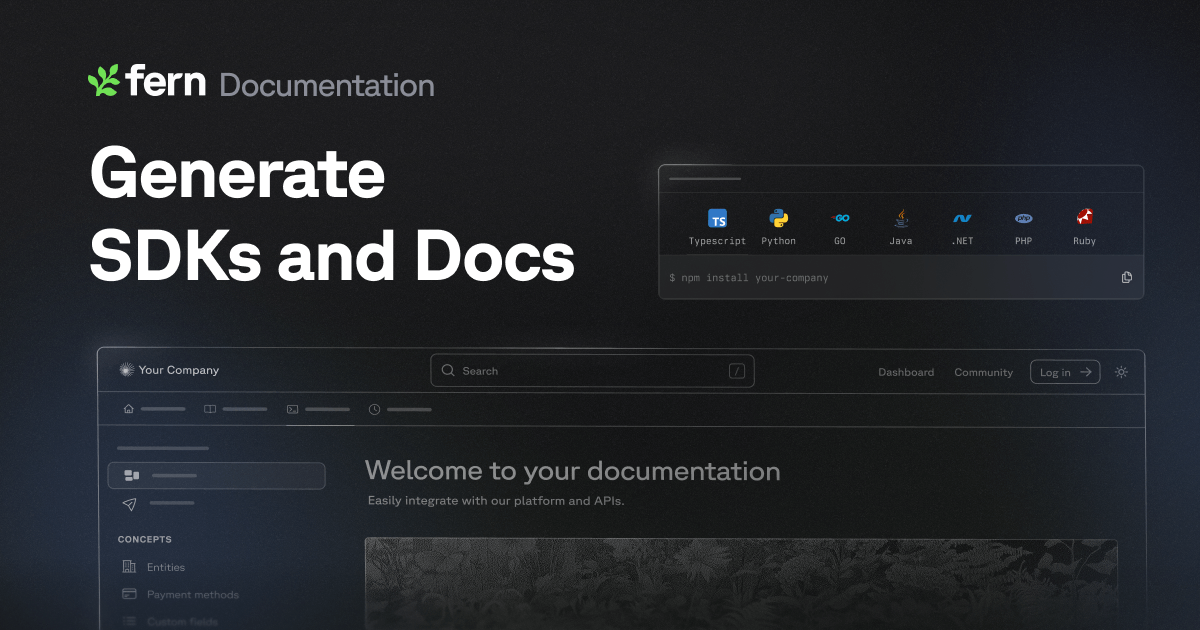
Fern is a toolkit for API developers that generates client-side SDKs and interactive, attractive API documentation. It’s designed for teams that want to provide a high-quality developer experience and streamline keeping documentation and SDKs synchronized.
Fern generates documentation from an API specification, like OpenAPI, producing language-specific SDKs, interactive API reference websites, and Postman collections. These are all automatically updated from a single source of truth, ensuring consistency across all developer resources.
Key features:
Generates SDKs in TypeScript, Python, Java, and Go
Creates interactive and customizable documentation websites
Supports OpenAPI, AsyncAPI, and gRPC specifications
Automates SDK and doc updates via CI/CD
Handles authentication and automatic pagination
Pros:
Clean, language-native SDKs
Highly customizable documentation
Automates tedious processes
Cons:
Requires maintaining a spec file
Can have a learning curve
Pricing is per SDK
Integrations:
OpenAPI
Postman
GitHub
CI/CD
Ideal users / use cases: Best for companies wanting to provide a top-tier developer experience with high-quality, always-in-sync SDKs and documentation.
Rating: 4.5/5 on G2
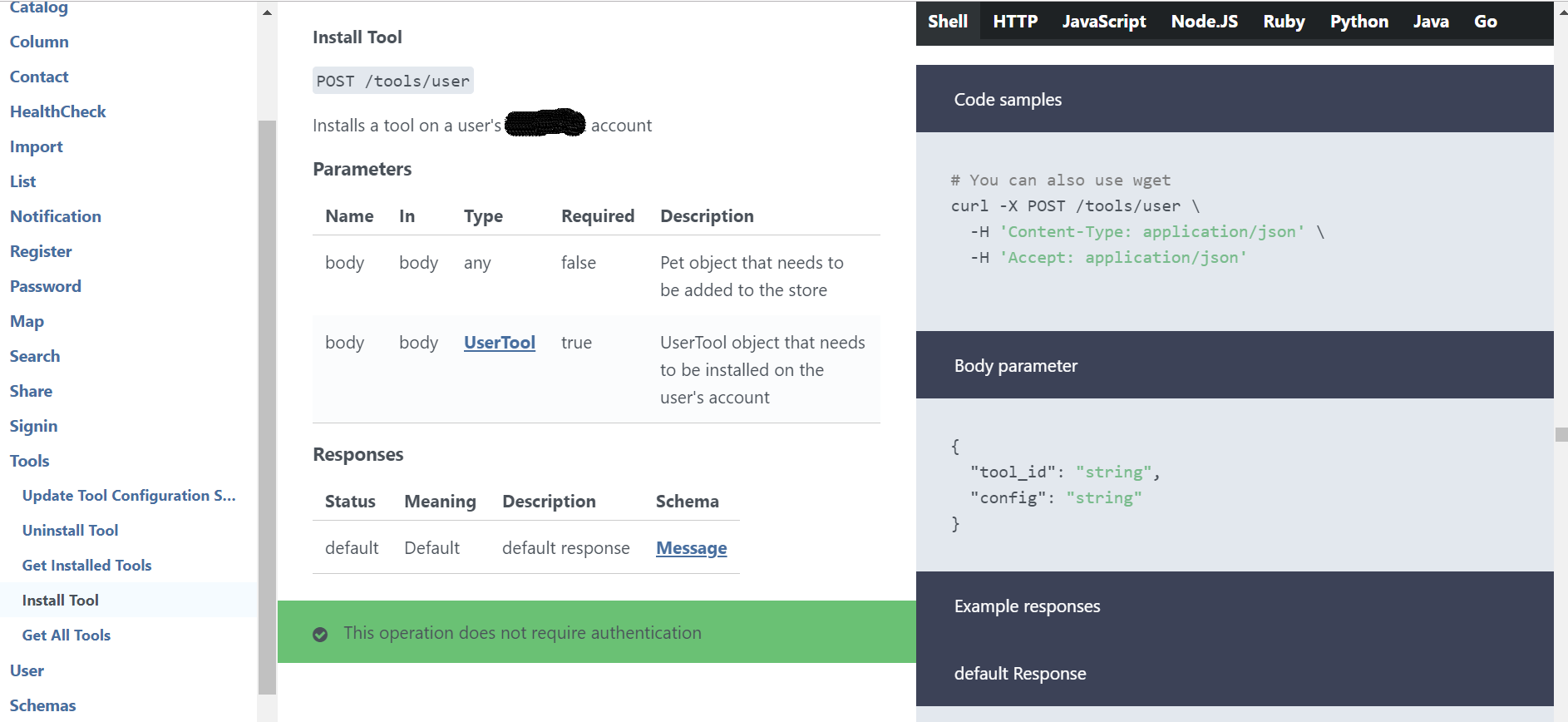
Swagger UI is an open-source tool that renders OpenAPI Specifications as interactive API documentation. It allows developers and end-users to visualize and interact with API resources without needing access to the implementation logic, simplifying backend implementation and client-side consumption.
It automatically generates a user-friendly, interactive web interface from a JSON or YAML OpenAPI (formerly Swagger) specification file. This allows users to test API calls directly in the browser, streamlining development and testing workflows for RESTful APIs.
Key features:
Interactive UI for real-time API testing and visualization
Automatic documentation generation from OpenAPI specifications
Customizable interface to match branding and style guidelines
Client SDK generation in various languages
Dependency-free and compatible with all major browsers
Pros:
Easy to set up
Interactive and user-friendly
Strong open-source ecosystem
Cons:
Limited customization options
Can be slow with large APIs
Lacks advanced testing features
Integrations:
OpenAPI Specification
Swagger Editor
Swagger Codegen
CI/CD tools
Ideal users / use cases: Development teams and API consumers who need to quickly visualize, test, and share interactive documentation for RESTful APIs, both for internal collaboration and public-facing portals.

Rating: 4.5/5 on G2
Redocly is a comprehensive API documentation platform with a suite of tools for the entire API lifecycle. It empowers developers, technical writers, and product managers to create, manage, and publish high-quality, interactive documentation and developer portals.
Redocly automatically generates beautiful, interactive documentation from OpenAPI specifications. Its command-line tools facilitate a docs-as-code workflow, letting you lint and bundle API definitions from Git, outputting a complete static HTML developer portal with reference guides.
Key features:
Features a three-panel, responsive design with a try-it console.
Supports OpenAPI v2/v3, versioning, and changelogs.
Offers highly customizable theming and branding options.
Provides access controls and integrates with identity providers for SSO.
Facilitates collaboration through visual reviews and feedback workflows.
Pros:
Modern, clean user interface
Extensive customization options
Strong command-line tools
Cons:
Steeper initial learning curve
Premium features can be expensive
Smaller community than Swagger
Integrations:
OpenAPI/Swagger
GitHub, GitLab, Bitbucket
CI/CD pipelines
Postman
Best for teams creating branded public developer portals or internal API catalogs with a docs-as-code workflow.
Rating: 4.5/5 on User Experience (UX)
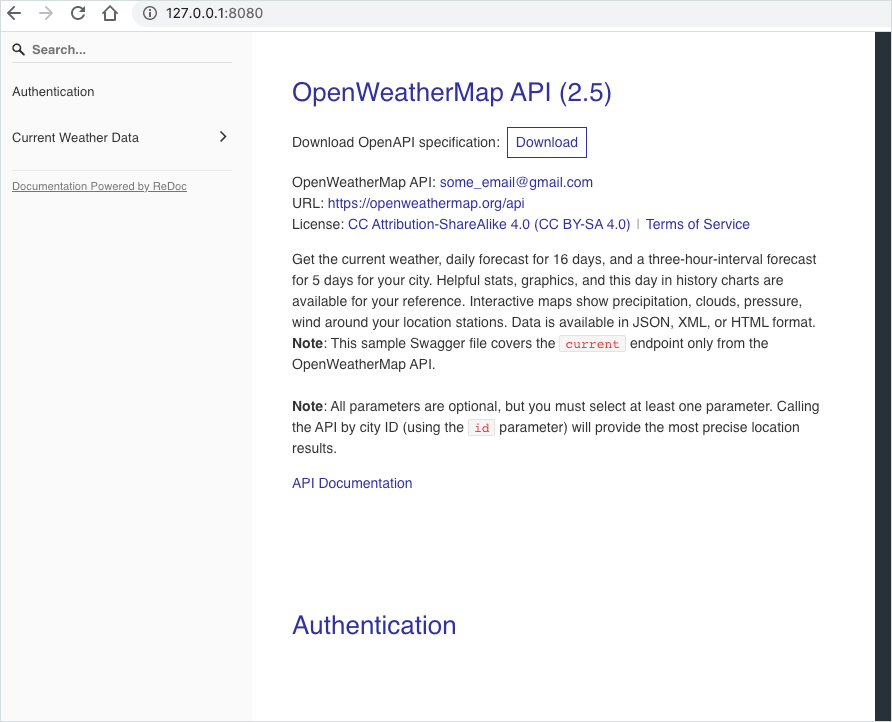
ReDoc is an open-source tool generating clean, interactive API reference documentation from OpenAPI specifications. It’s ideal for developers creating modern, user-friendly documentation with a professional three-panel design that works entirely on the front-end without a backend.
It automatically renders a static HTML documentation site from an OpenAPI or Swagger definition file in YAML or JSON format. The output is a responsive, three-panel reference layout featuring navigation, detailed descriptions, and embedded code examples.
Key features:
Generates interactive documentation directly from your OpenAPI specification
Allows users to explore endpoints and view code examples
Offers extensive theming and styling options to match your brand
Supports OpenAPI v2, v3.0, and v3.1
Includes built-in search
Pros:
Modern, clean design
Easy to set up
Open-source and free
Cons:
Lacks a “Try it” console
Crowded on small screens
Focus is on paid product
Integrations:
OpenAPI/Swagger
GitHub
CI/CD pipelines
Ideal users / use cases: Ideal for teams generating public-facing API portals or internal documentation who prioritize a clean, modern user experience.

Rating: 4.5/5 on G2
ReadMe is a platform for creating and managing interactive developer hubs. It helps businesses build comprehensive, user-friendly API documentation, catering to both technical and non-technical team members involved in the development and product lifecycle process.
ReadMe automatically generates API reference documentation by syncing with OpenAPI Specification (OAS) files, ensuring content is always current. It produces interactive developer hubs that include API references, detailed guides, and helpful tutorials to improve the developer experience.
Key features:
Interactive API explorer for making real-time calls
Versioning to manage different API documentation iterations
Customizable themes to match your brand’s identity
Access controls to manage who can view or edit
Collaboration tools for suggesting and reviewing edits
Pros:
User-friendly interface
High degree of customization
Focus on developer experience
Cons:
Limited for general documentation
Advanced features are enterprise-only
Lacks deep search functionality
Integrations:
Swagger/OAS
Amazon API Gateway
GitHub
Slack
Ideal users / use cases: Ideal for API-first companies creating public-facing developer portals or internal documentation for custom workflows and integrations.
Rating: 4.4/5 on G2
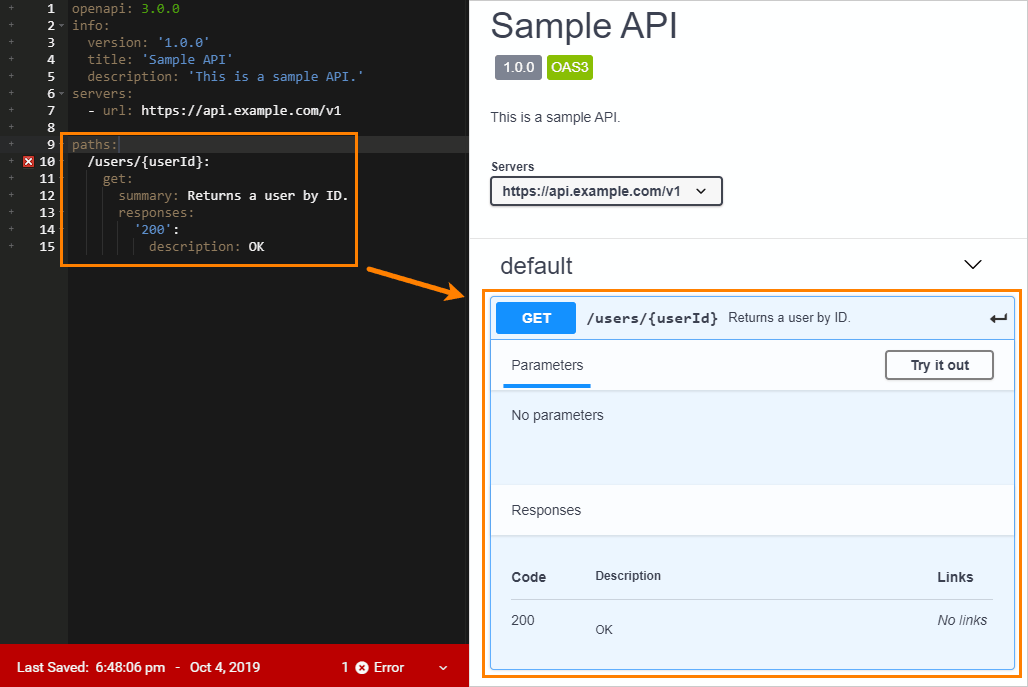
SwaggerHub is a collaborative platform for designing, developing, and documenting APIs using the OpenAPI Specification. It serves as a central hub for teams to manage the entire API lifecycle, from initial design to deployment and versioning.
It automatically generates interactive API documentation directly from the OpenAPI (OAS) definition. This design-first approach ensures documentation is always synchronized with the API’s implementation, producing reference docs, client SDKs, and server stubs in various languages.
Key features:
Real-time collaboration with commenting and review workflows
Robust version control to manage API evolution
Style validators to enforce design consistency across all APIs
Role-based access controls to manage user permissions
API mocking capabilities to simulate endpoints before implementation
Pros:
Enforces OpenAPI standards
Strong versioning and collaboration
Cloud-based accessibility
Cons:
Requires internet connection
Limited free plan features
Some users find the UI clunky
Integrations:
GitHub, GitLab, Bitbucket
CI/CD and Webhooks
API Gateways
Ideal users / use cases: Best for organizations seeking a centralized platform for collaborative, design-first API development and for teams needing to enforce consistent standards and manage the full API lifecycle.
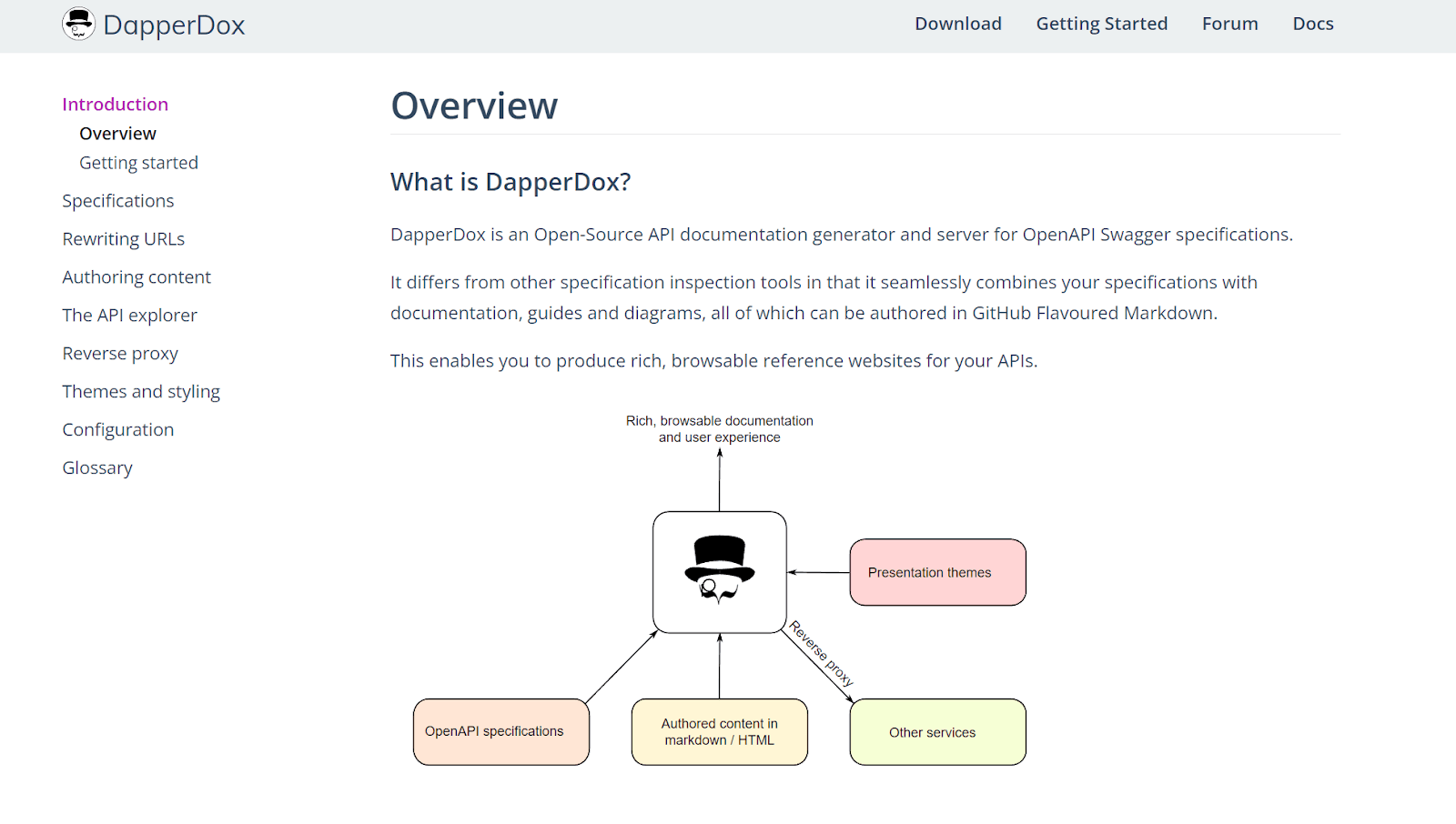
DapperDox is an open-source documentation generator created for developers to improve the usability and quality of API documentation. It is designed for businesses of all sizes, from startups to large enterprises, seeking to produce browsable, rich reference websites.
It automatically generates documentation by rendering OpenAPI/Swagger specifications and combining them with guides and diagrams authored in GitHub Flavored Markdown. This process produces a cohesive and navigable documentation site that can handle and cross-reference multiple API specifications.
Key features:
Interactive API explorer for experimentation within the documentation.
Supports multiple API specifications in one suite of products.
Customizable themes to align documentation with brand identity.
Ability to overlay Markdown content onto the generated reference.
Can proxy a developer platform for integrated API key management.
Pros:
Free and open-source.
Easy to use.
Highly customizable.
Cons:
Requires manual updates.
Limited automation capabilities.
Markdown-only authoring.
Integrations:
OpenAPI/Swagger
GitHub
Markdown
Ideal users / use cases: This tool is ideal for developers and teams who need to combine multiple API specifications with detailed guides to create a comprehensive, branded, and interactive documentation portal.
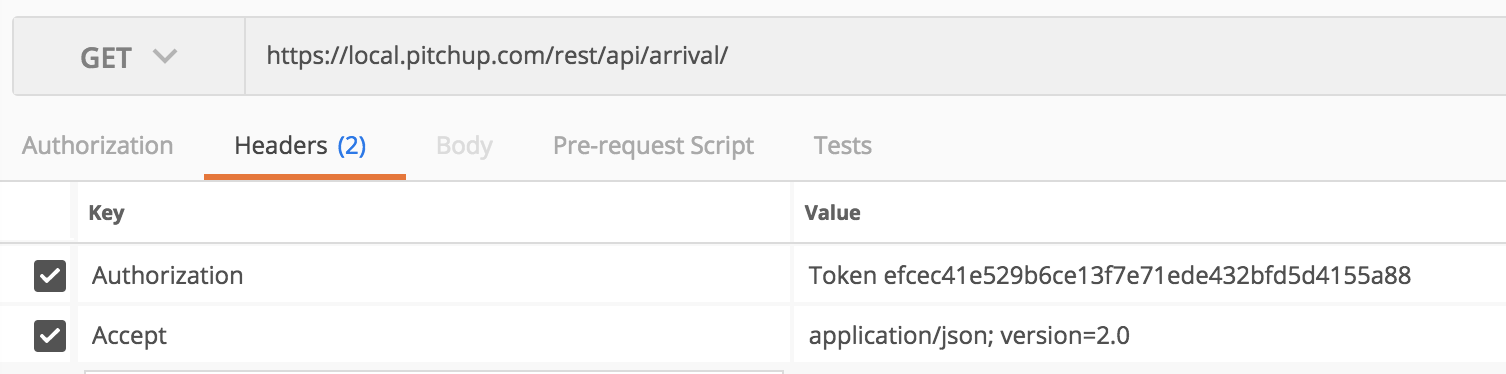
Rating: 4.3/5 on G2
Apiary is a comprehensive platform for API design, development, and documentation. It fits the entire API lifecycle, offering tools for teams to collaboratively design, prototype, document, and test APIs, ensuring consistency and control throughout the process.
Apiary auto-generates interactive documentation from API Blueprint, a Markdown-based format. This design-first approach produces a portal with descriptions, code samples, and a console for making live API requests directly from the documentation.
Key features:
Interactive docs with a built-in mock server
Supports API Blueprint and Swagger for API descriptions
Collaborative environment for teams to design and review APIs
GitHub integration for version control of descriptions
Pros:
Accelerates development with mock servers
Keeps documentation current
Strong collaborative design features
Cons:
API Blueprint has a learning curve
Limited layout customization
Uncertain future post-Oracle acquisition
Integrations:
API Blueprint/Swagger
GitHub
CI/CD tools
Ideal users / use cases: Ideal for teams using a design-first approach for public developer portals, internal platforms, and collaborative API prototyping projects.
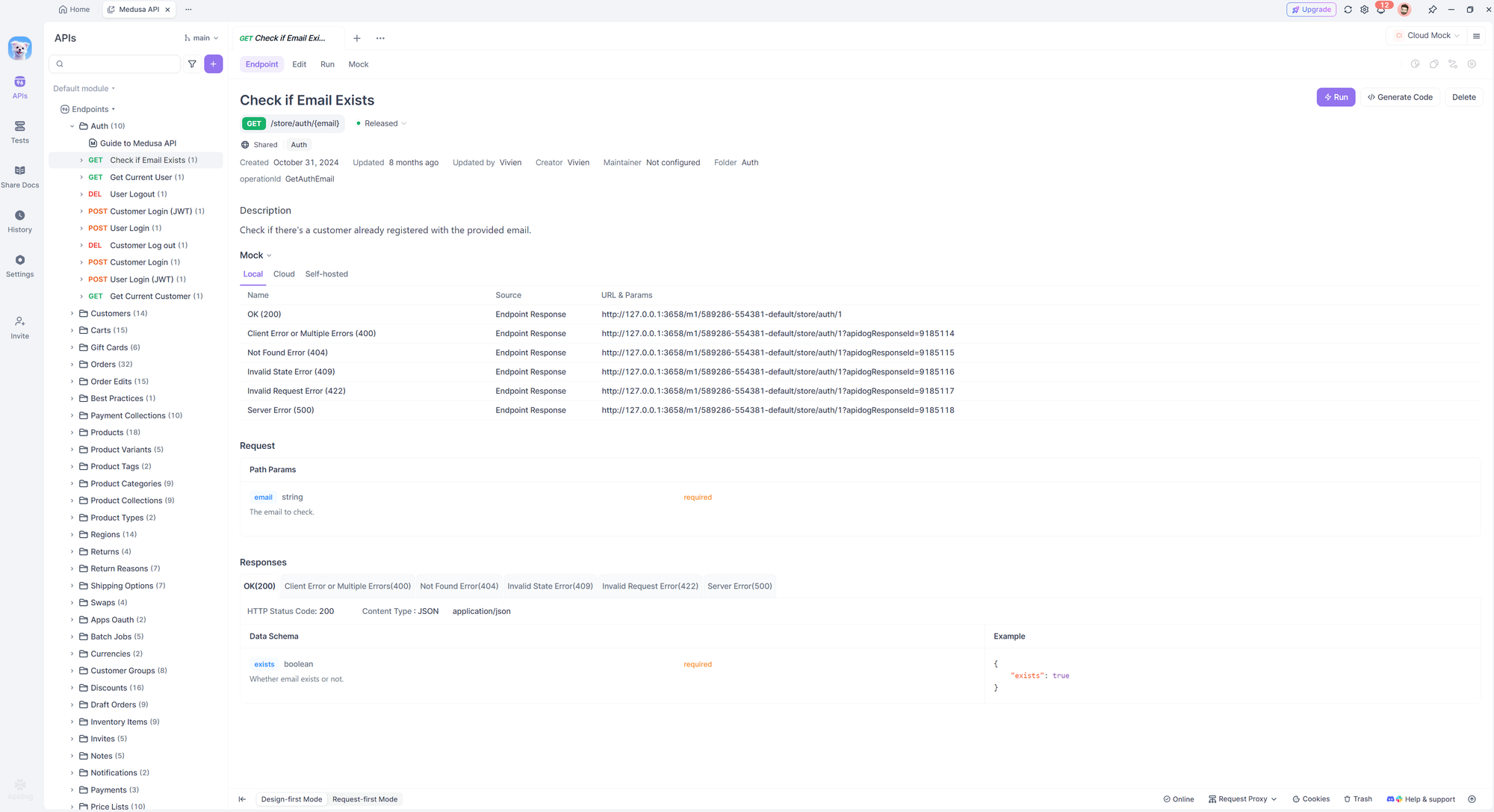
Theneo is an AI-powered platform designed to automate the creation of API documentation. It helps software developers, technical writers, and product managers produce comprehensive and user-friendly documentation, saving significant time and effort in the API lifecycle.
It auto-generates documentation by importing API specifications like OpenAPI or Postman collections. Theneo’s AI then creates detailed descriptions and summaries, producing interactive API references, guides, and complete developer portals with automated updates from code changes.
Key features:
AI-powered generation of summaries and descriptions.
Automatic updates via sync with Git repositories.
Customizable branding, layouts, and themes.
Access control and team collaboration tools.
Automated changelogs and AI-powered search.
Pros:
Reduces manual effort
User-friendly interface
Good integration capabilities
Cons:
Potential learning curve
Advanced features can be costly
Limited language support
Integrations:
OpenAPI, Postman
GitHub, GitLab, Bitbucket
Visual Studio Code
ChatGPT
Ideal users / use cases: Best for API development teams, tech startups, and open-source projects needing to streamline the creation of public or internal API documentation and developer portals.
Rating: 4.7/5 on G2
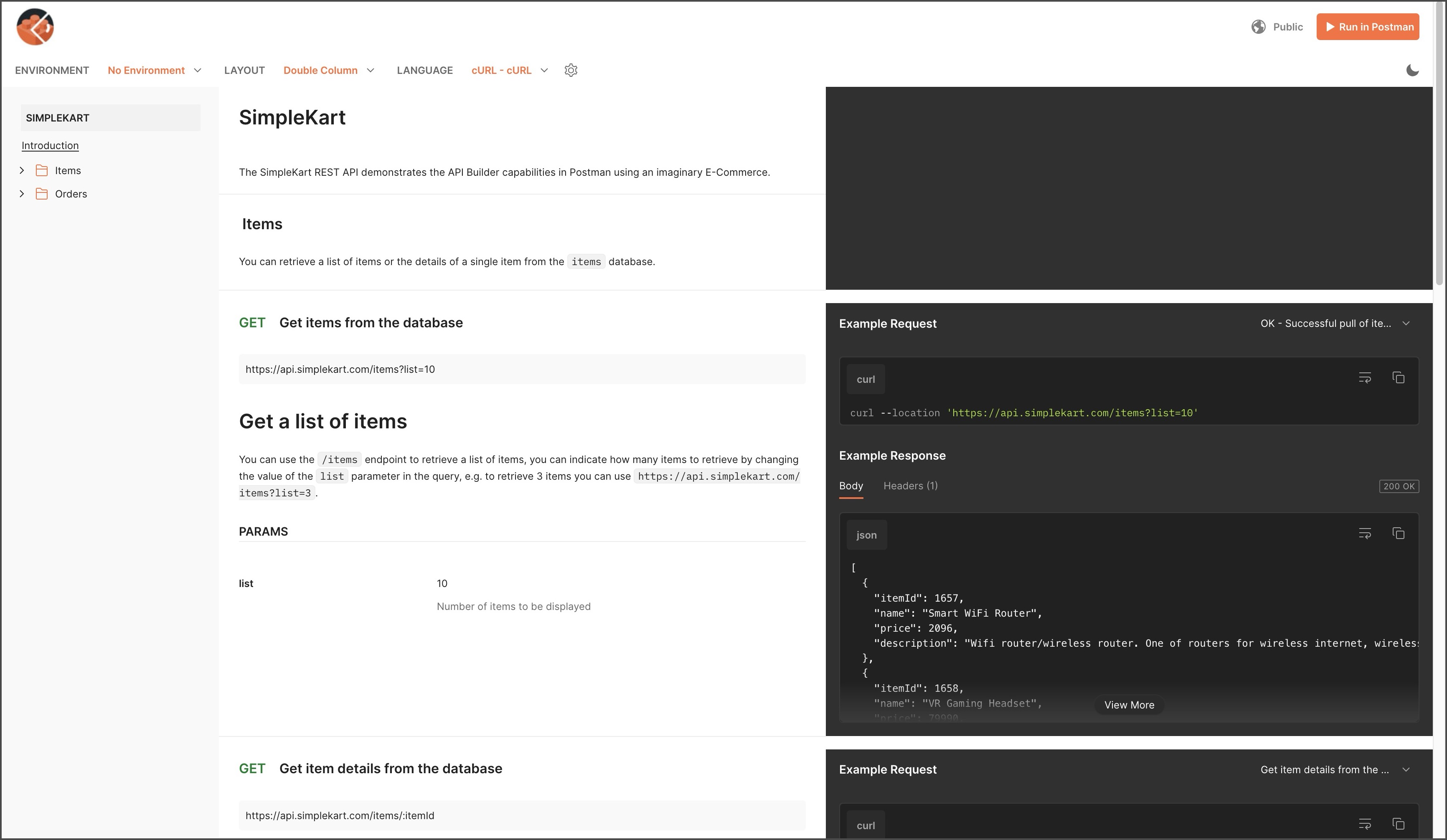
Postman is an API platform that simplifies the API lifecycle and streamlines collaboration. It allows developers to design, build, test, and iterate on their APIs in a shared workspace, moving from initial concept to consumption.
Postman auto-generates documentation from Postman Collections or OpenAPI definitions. This process creates web-viewable documentation that includes request details, sample code, and parameter descriptions, which can be published to a public network or kept private.
Key features:
Interactive “Run in Postman” buttons
Versioning and changelogs for documentation
Custom theming and branding with custom domains
Role-based access controls for private documentation
Built-in commenting and review workflows for collaboration
Pros:
User-friendly interface
Extensive feature set
Strong collaboration tools
Cons:
Performance issues with large collections.
Limited features on the free tier.
Can be resource-intensive.
Integrations:
OpenAPI
GitHub/GitLab
CI/CD (via Newman)
Slack
Ideal users / use cases: Development teams seeking a unified platform for the entire API lifecycle, from initial design and testing to generating public or internal developer portals.
Your API documentation is a valuable marketing asset that can attract developers through search engines. To maximize its visibility, ensure your chosen API docs generator supports SEO best practices. With Fern, you can configure page-level SEO metadata with frontmatter.
Use a Custom Domain: Host your documentation on a subdomain of your main site (e.g., docs.yourcompany.com) to build authority.
Descriptive URLs and Titles: URLs and page titles should be clean, descriptive, and contain relevant keywords (configure clean slugs). For example, a page for authenticating users should have a URL like /api/authentication.
Crawlable Content: Ensure all your content is rendered as HTML and is not hidden behind complex JavaScript that search engine crawlers can’t access.
Provide a Sitemap: A sitemap.xml file helps search engines discover and index all the pages in your documentation.
Optimize for Speed: Page speed is a crucial ranking factor. A good documentation site should be fast and responsive on all devices.
A professional API docs generator should handle these technical SEO aspects out of the box, helping your API get discovered by the developers who need it.
In 2025, treating your API documentation as a first class product is essential for success. The manual, error prone methods of the past are no longer viable. By leveraging a modern API docs generator, you can create accurate, interactive, and easy to use documentation that delights developers and accelerates API adoption. An automated tool not only saves significant engineering time but also provides the foundation for a world class developer experience.
Ready to build API docs your developers will love? Check out Fern to see how you can generate beautiful, interactive documentation and strongly typed SDKs from a single API definition.
An API docs generator is a tool that automatically creates and maintains documentation for an API. It typically uses an API specification file, like an OpenAPI definition, as the source of truth to generate a user friendly, interactive reference website.
Yes, absolutely. OpenAPI (formerly Swagger) is the most widely adopted industry standard for defining REST APIs, and nearly all modern API documentation generators use OpenAPI files as their primary input.
Free, open source tools like Swagger UI can be a good starting point for small projects or internal APIs. However, they often lack the customization options, enterprise features (like SSO and role based access), dedicated support, and hosting solutions required by growing companies with public APIs.
A good API docs generator improves SEO by creating a fast, well structured website with clean URLs, customizable titles and meta descriptions, and a sitemap. This makes it easier for search engines to crawl, index, and rank your documentation, helping new developers discover your API.
API docs are the instruction manual, explaining what an API can do and how to use it. SDKs (Software Development Kits) are pre written code libraries in specific programming languages (like Python, TypeScript, or Go) that make it much easier and faster for a developer to integrate with your API. Platforms like Fern can generate both from the same API definition.
Pricing varies widely. Some tools are open source and free to self host. SaaS platforms often have tiered pricing, with basic plans starting around a few hundred dollars per month and custom enterprise plans for teams needing advanced features, robust support, and SDK generation.


